 eStock
Sales · Invoicing · Inventory
Your sales, purchases and stock, finally in one place.
eStock replaces spreadsheets and dated desktop software: quotes, delivery notes, invoices, point of sale, purchases, stock and payments, online and on your phone, built around Moroccan business rules.
- Free plan, no credit card
- ICE, VAT, stamp duty, amounts in words
- Desktop, tablet and phone
- document types, from quote to stock transfer
- 9
- to turn a quote or delivery notes into an invoice
- 1 click
- app and documents in French or English
- FR · EN
- available anywhere, nothing to install
- 24/7
Features
Everything you need to sell, buy and track your stock
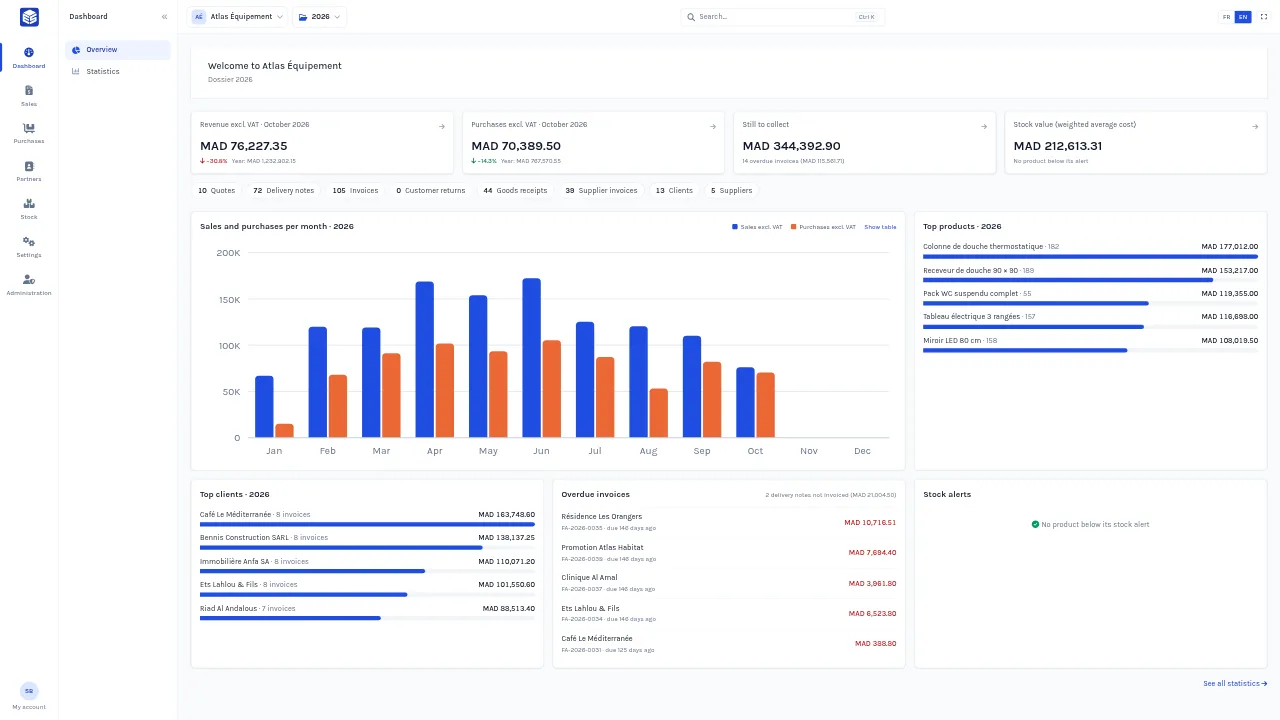
Every module talks to the others: a delivery note takes stock out, one click turns several delivery notes into an invoice, a payment updates the client’s balance.
-
End-to-end sales
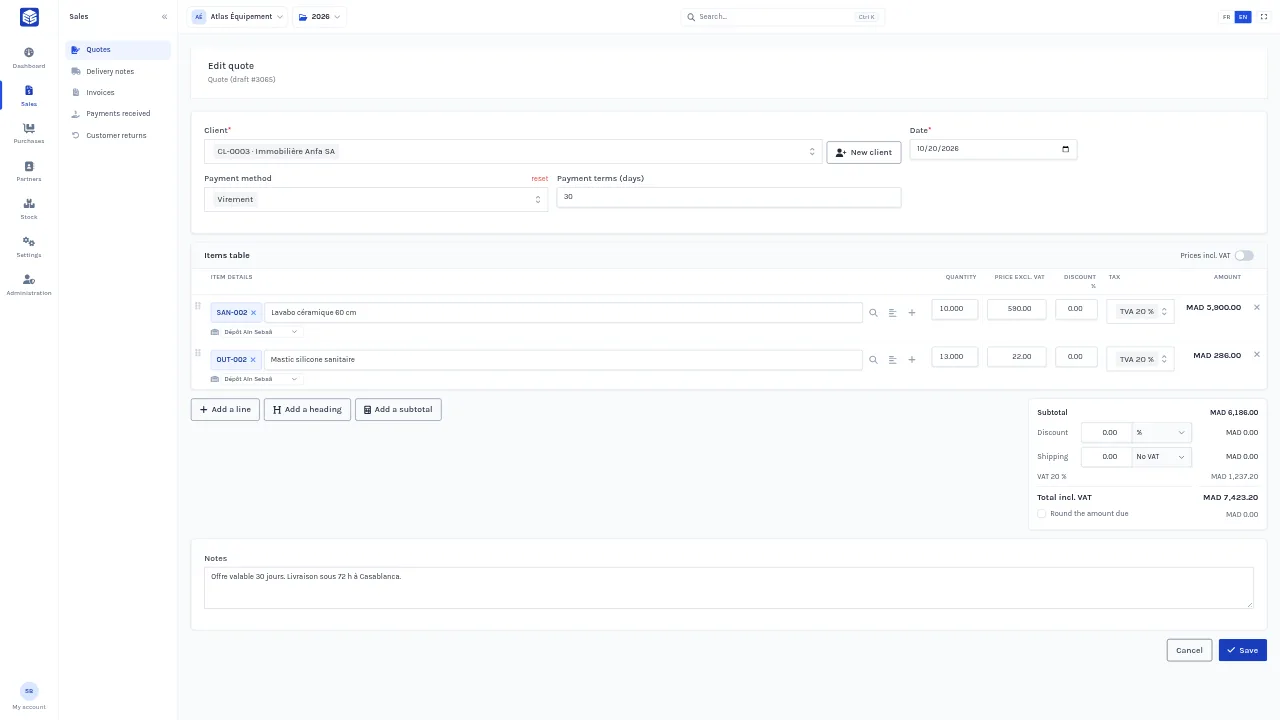
Quotes, delivery notes, invoices and customer returns. Turn a quote into an invoice, combine delivery notes into one invoice, share a public link.
-
Purchasing under control
Purchase orders, goods receipts, supplier invoices and returns. The net purchase cost feeds the weighted average cost directly.
-
Accurate, real-time stock
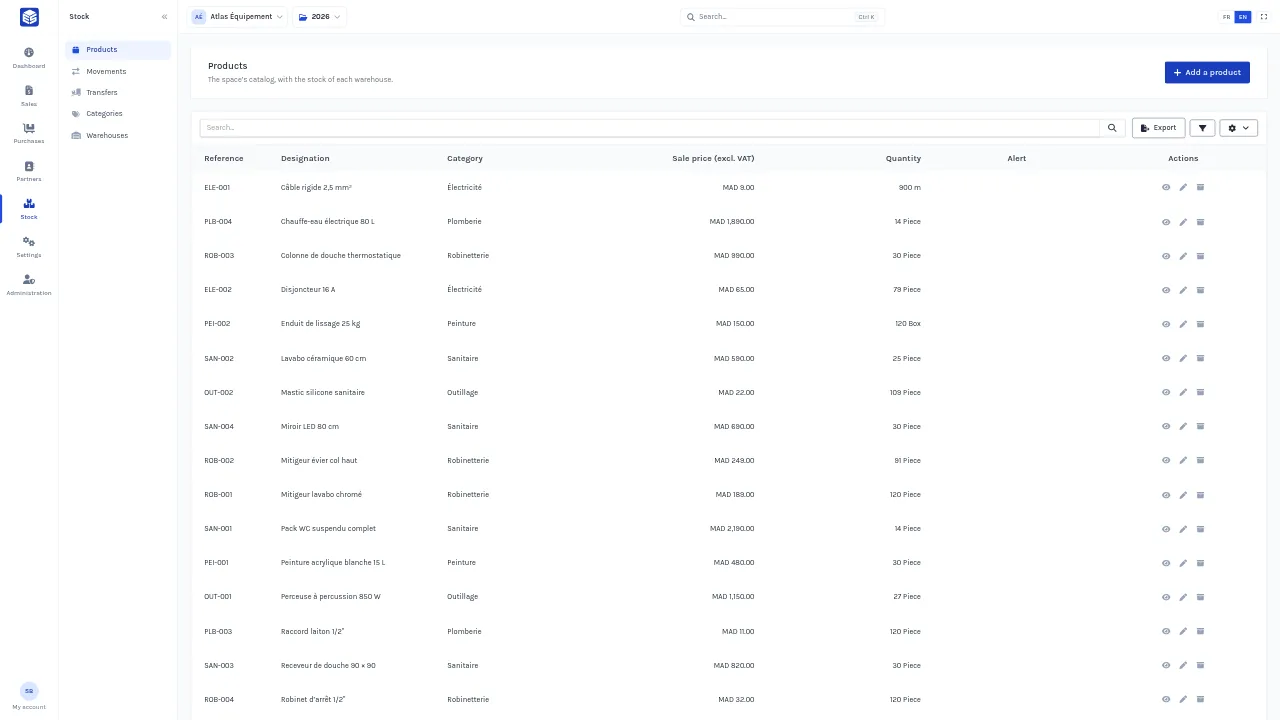
Several warehouses, transfers, counts, barcodes and low-stock alerts. Weighted average or FIFO valuation, every movement traced.
-
Payments and follow-up
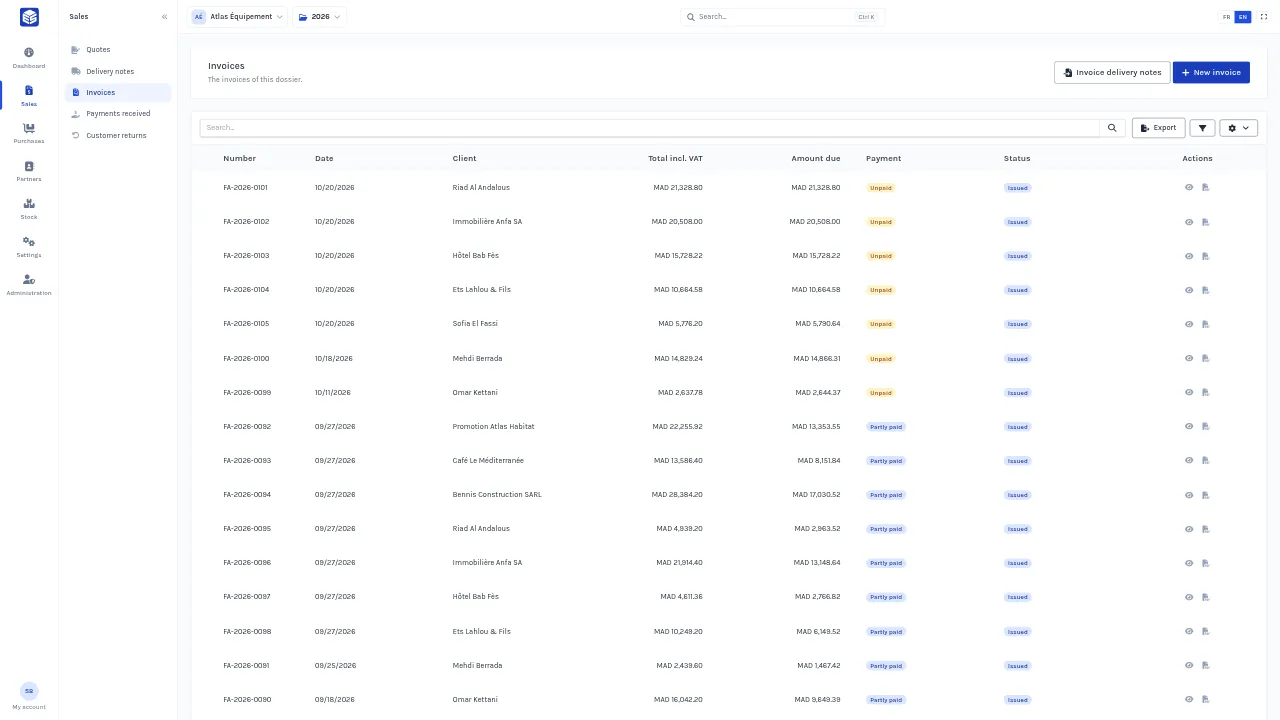
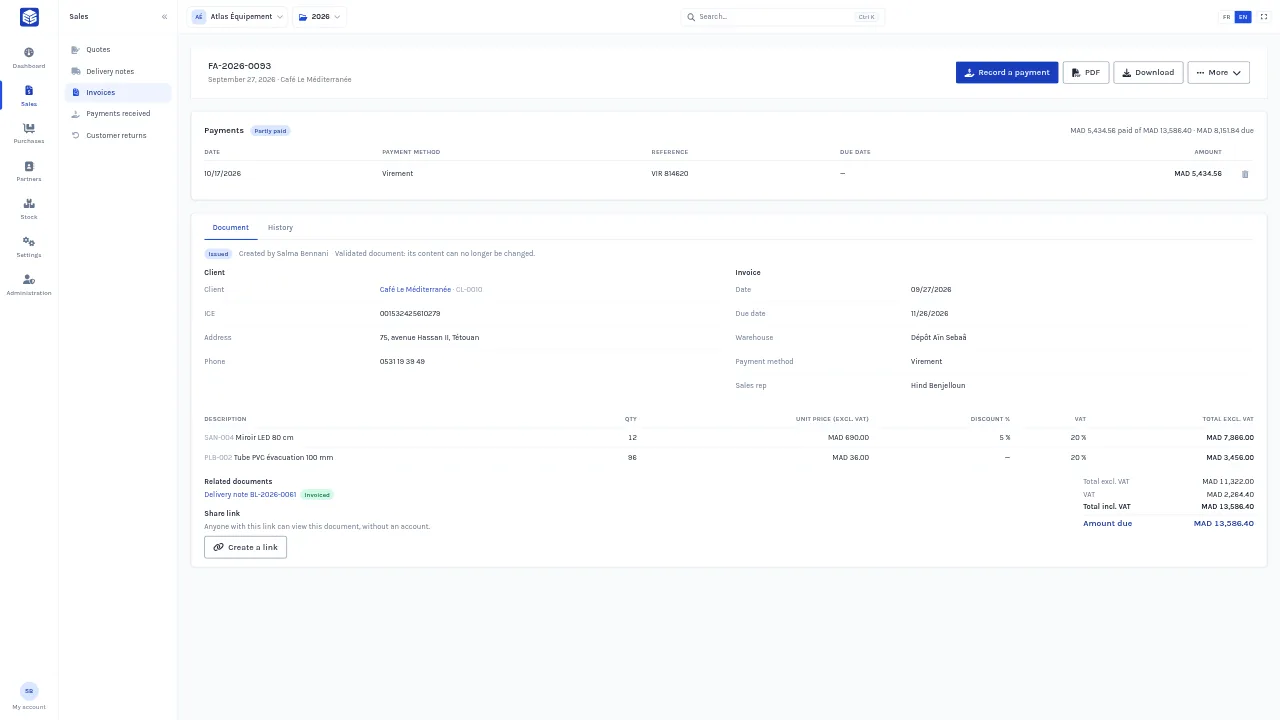
Partial payments, cheques and bills with due dates, overdue invoices, and the balance of every client and supplier.
-
In-store point of sale
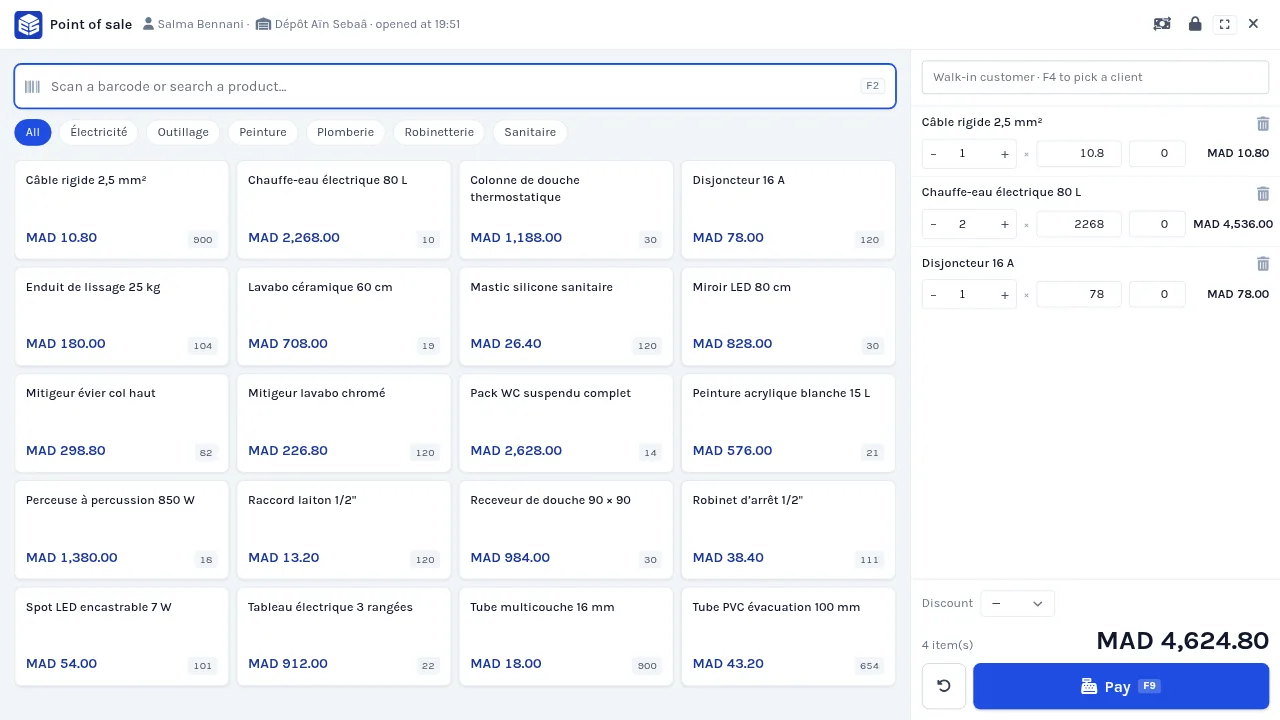
A counter sales screen: barcode scanner, split payments, change calculation, 80 or 58 mm receipts and a Z report.
-
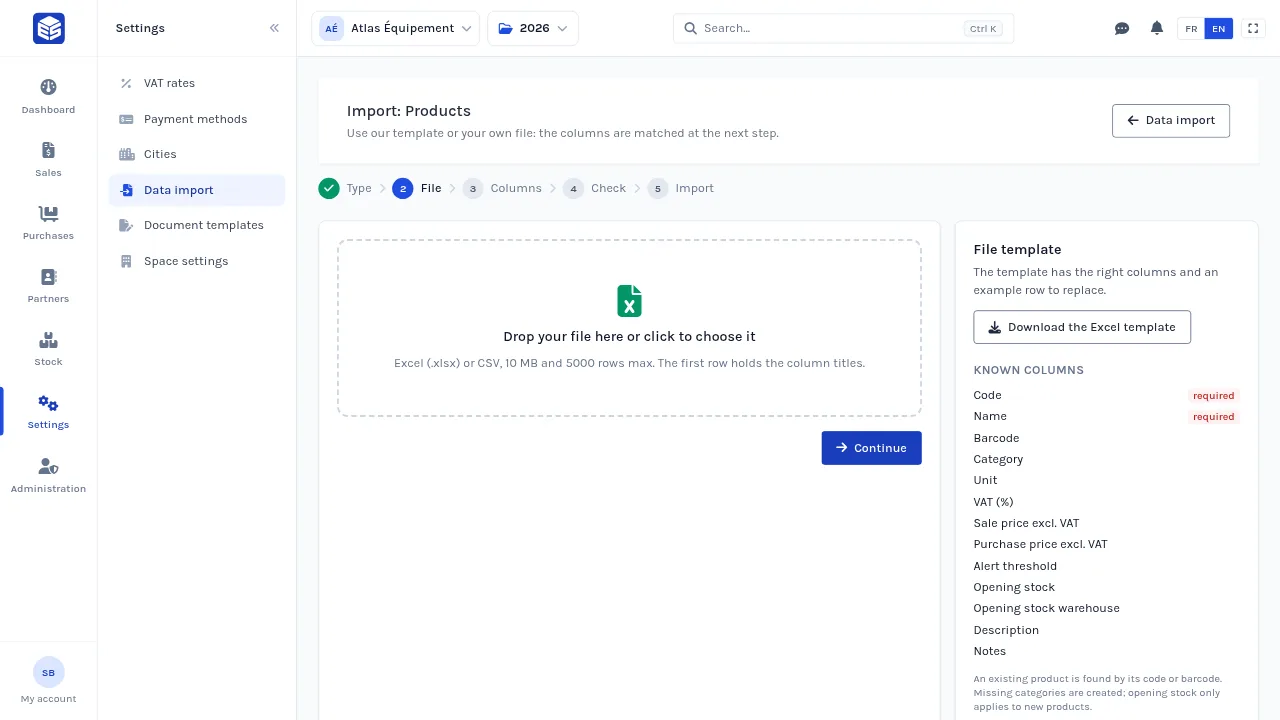
Import from Excel
Clients, suppliers, sales reps and products imported from an Excel or CSV file, checked row by row before anything is saved.
-
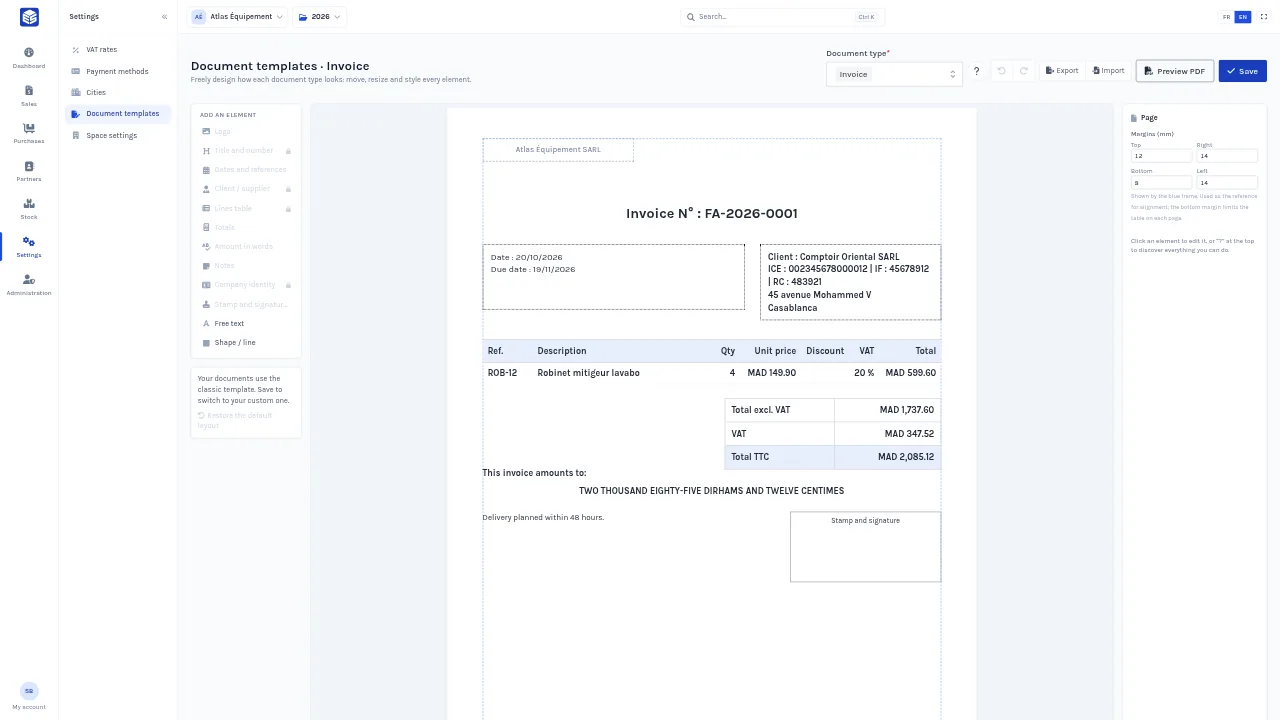
Documents that look like you
A visual editor to design your A4 invoices: logo, blocks, colours, stamp box. Export a whole list as PDFs at once.
-
Clear statistics
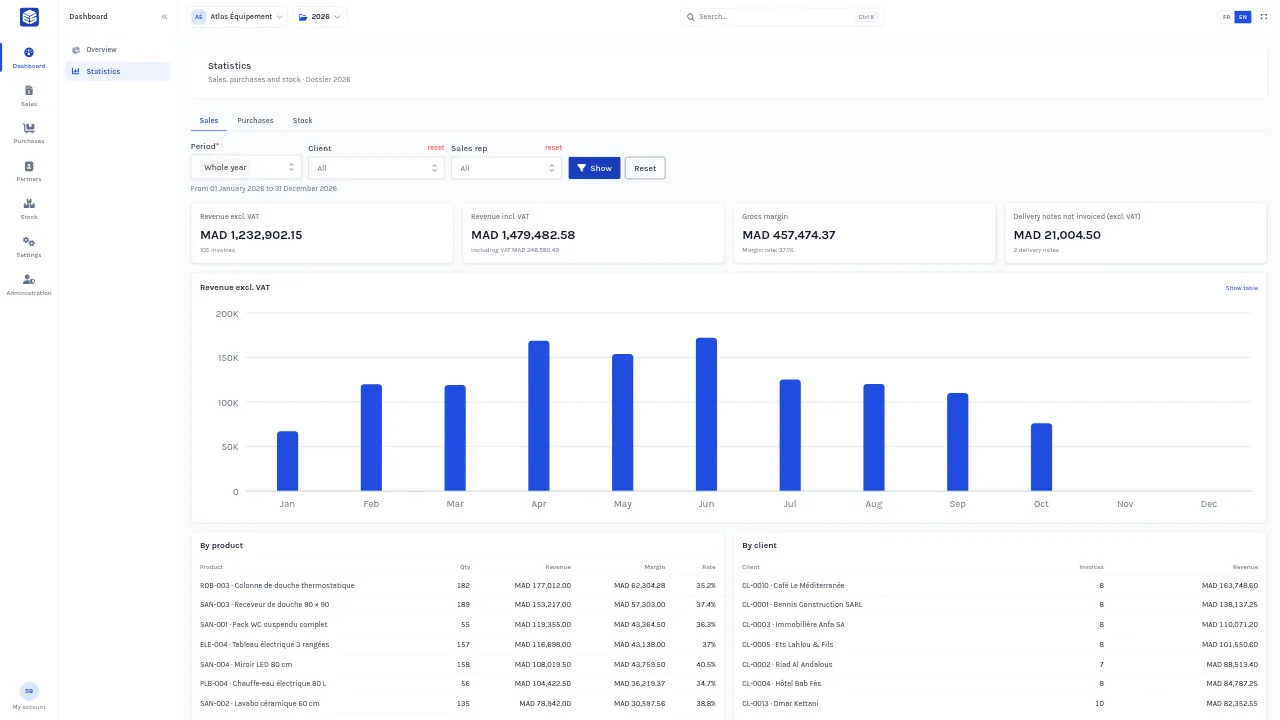
Revenue, margin, purchases, best clients and products, by month, by sales rep or by client.
-
Useful alerts
Out-of-stock or low stock, invoices reaching their due date, plan ending: the right people are told in the app and by email.
-
Records with pictures
A photo for each product and a logo for each client or supplier, cropped to the right format as soon as they are uploaded.
-
Team and permissions
Invite your colleagues, give each one a role and access to the right fiscal years. Sales reps only see their own clients.
-
Complete history
Every change is recorded with its old and new value, and a validated document can go back to draft to be corrected.
Tour
An interface your team picks up fast
Clear screens, global search (Ctrl K), and lists you can filter and export to Excel or PDF.
Pro plan
A till for counter sales, connected to your stock
Your in-store sales come out of the same stock as your invoices. Every receipt is numbered, paid and can become an invoice in the client’s name.
- Instant search and barcode scanner, catalog by category, by keyboard or touch
- Cash, card or split payments, with the change to give worked out
- Receipts printed on 80 mm, 58 mm or A4, with your header
- Till sessions: cash float, cash in and out, Z report and the difference at closing
- A receipt turns into an invoice without taking the stock out twice
Try it with 3 free receipts on the Free and Plus plans.
Built for Morocco
Compliant documents, without thinking about it
eStock is built for Moroccan distributors, wholesalers and tradespeople: the rules that matter to you are already there.
- ICE, IF, RC, business tax and CNSS numbers on every document
- 20, 14, 10, 7 and 0% VAT, prices entered excluding or including VAT
- Stamp duty calculated on cash payments
- Amounts in words in dirhams, in French or English
- Numbering per fiscal year with your own prefixes
- Rounding to the nearest dirham whenever you want it
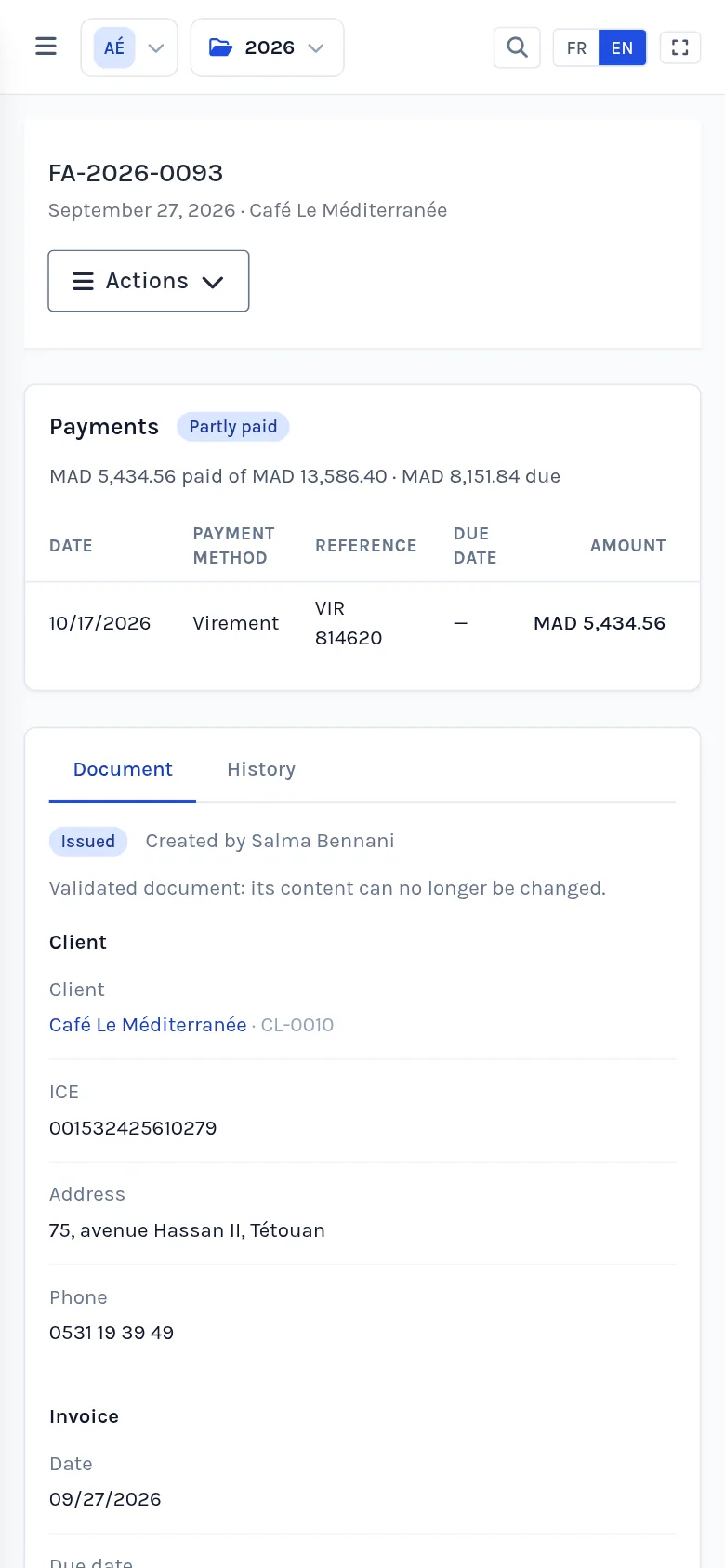
Your business in your pocket
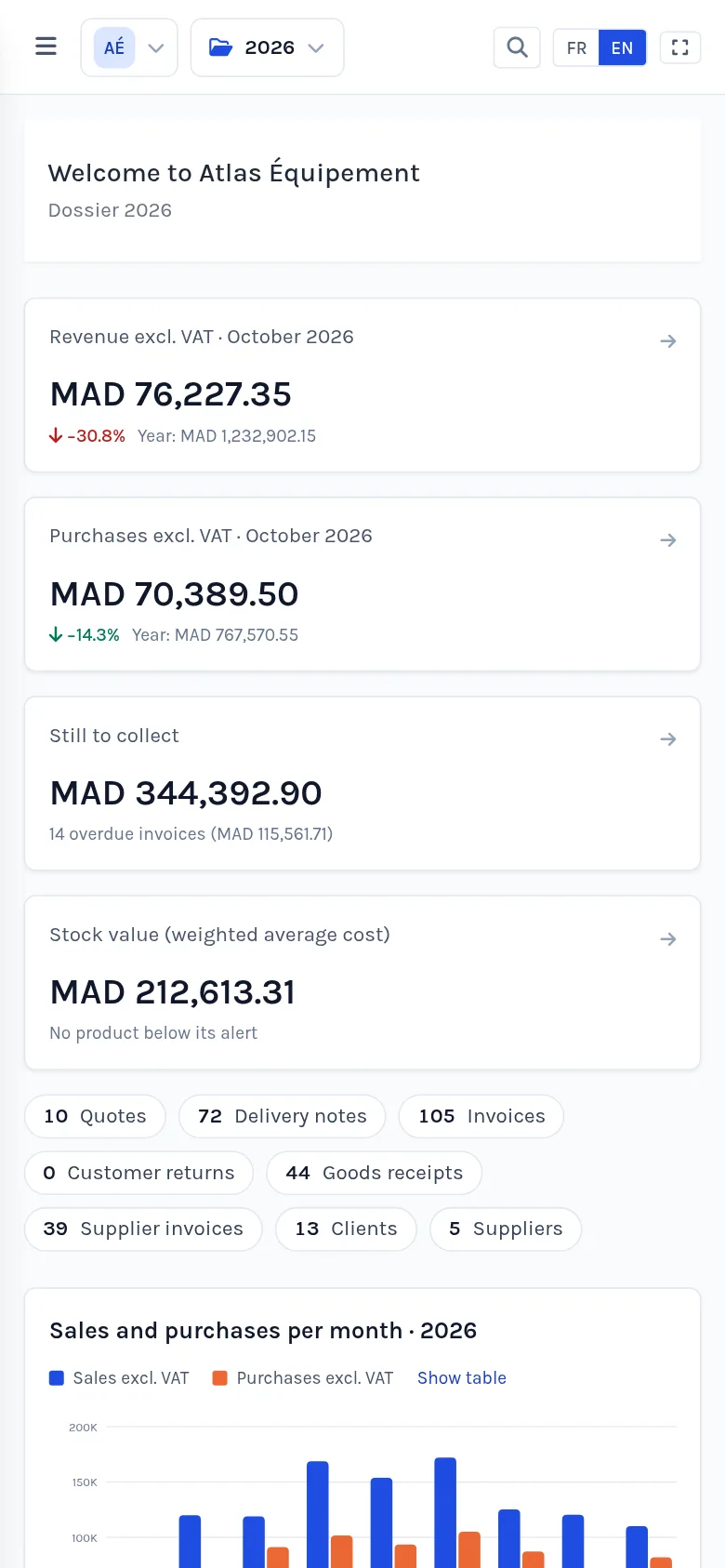
Check an invoice, record a payment or look up stock from your phone, at a client’s or in the warehouse.
Get started
Up and running in three steps
-
1
Create your space
Your company, its fiscal year and legal details: two minutes is all it takes.
-
2
Add your data
Clients, suppliers and products, imported from Excel, entered up front or created right from your documents.
-
3
Start invoicing
Issue your first quote or invoice and follow its payments.
Pricing
Start for free, upgrade when you are ready
Prices in Moroccan dirhams. Card payment or bank transfer, monthly or yearly.
10% off with yearly billing
-
Free
To try eStock at your own pace.
MAD 0 / month
The owner only
- 3 clients, products and documents of each type
- Every module
- Documents stamped “eStock · Free”
-
Recommended
Plus
For small teams that invoice every day.
MAD 199 / month
5 users included
- Unlimited clients, products and documents
- Unstamped documents with your branding
- Every module
- Extra user: MAD 20 / month
-
Pro
For companies with several departments.
MAD 499 / month
20 users included
- Unlimited clients, products and documents
- The point of sale for in-store sales
- Unstamped documents with your branding
- Your whole team in the app
- Extra user: MAD 20 / month
FAQ
You might be wondering…
Is the free plan really free?
Yes, with no time limit and no credit card. It allows 3 records of each kind so you can try every module; you upgrade whenever you decide to.
Who can see my data?
Only the members you invite, with the rights you give them, fiscal year by fiscal year. Every space is isolated, every action is logged, and each user can only have one session open at a time.
Can I manage several companies?
Yes. Each company is a separate space with its own fiscal years, team and settings. You switch between them in one click.
I already use EziStock. Can I bring my data?
Yes, on request: clients, suppliers, products, stock and documents are imported into your space, with eStock numbering.
Can I fix a mistake on a validated invoice?
Yes: a validated document can go back to draft as long as no payment is attached. It keeps its number and any stock it moved is restored.
Can I import my clients and products from Excel?
Yes. Download our template or use your own Excel or CSV file: eStock recognises the columns, checks every row and shows you what will be created or updated before importing.
How does the point of sale work?
Each cashier opens their session with a cash float, takes payments (cash, card or both) and prints the receipt. At closing they count their cash and the Z report shows the difference. The point of sale is part of the Pro plan; the other plans can try it with 3 free receipts.
How do I pay my subscription?
By card online, or by bank transfer: you send the transfer proof from the app and your plan starts as soon as it is checked.
Contact
Got a question? Write to us
A demo, a question about pricing or importing your data: leave us a message and we will reply by email.
- A demo of the app built around your own cases
- Importing your data from EziStock or Excel
- A plan that fits the size of your team
Ready to make your back office simple?
Create your space in two minutes and send your first invoice today.